Your MCP Administration details are accessed
via the Administration tab
on the main MCP page:
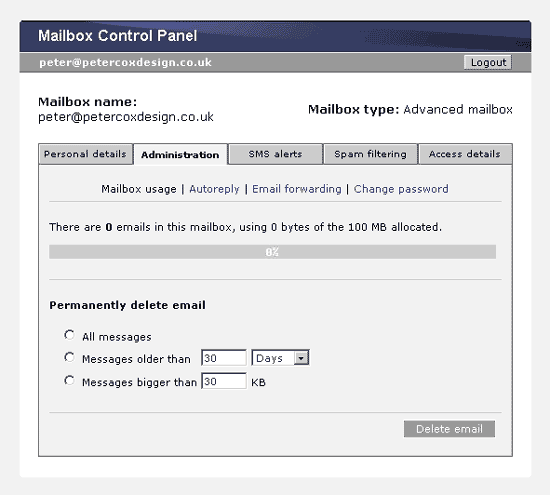
1. The main
Administration page provides an alternative means to delete unwanted
mail from your inbox. Remember that use of this will result in
permanent deletion – and you will not be able to see any
of the mail messages that are affected. Use
with caution.
2. You can
also set up your mailbox to automatically send a reply to all
email received. This may be very useful if you are unable to reply
to email for an extend period of time or wish to make a general
announcement to anyone who may email you. However, in some circumstances
this can become a security risk and can also confirm a live email
account to a spamming operation. Use
with caution.
3. Set up
any required email forwarding using the third Admin option. Add
or delete destination addresses and choose whether or not to leave
a copy of each message on the server (in your mailbox) as well
as being forwarded.
4. Change
your mailbox access password. Bear in mind that any changes made
MUST also be reflected in the access settings of your email client
in order for it to be able to access and download email from your
mailbox.
Also remember that the record of the initial
access password issued with your email account and held here will
no longer be correct; so please keep a secure record of any changes
you make. In the event of a lost password that is not recorded
at PCDS the password will need to be reset by PCDS.

 PCDS
Home
PCDS
Home